
If your inbox, chat, and phone calls all pile up, support gets messy fast. You start asking the same questions twice. Customers wait longer than they should.
A ticketing system fixes that. It’s support software that turns customer issues into trackable tickets. Each ticket gets a record, a status, and an owner, so your team can handle work in order.
In 2026, customers expect faster replies and consistent answers. They also expect help across email, chat, social, and messaging apps. So teams need a system, not scattered threads.
This guide breaks down how a ticketing system works, which features matter most, and how to pick tools for your team size. You’ll also see trends shaping ticketing in the next year, including stronger AI routing and voice support.
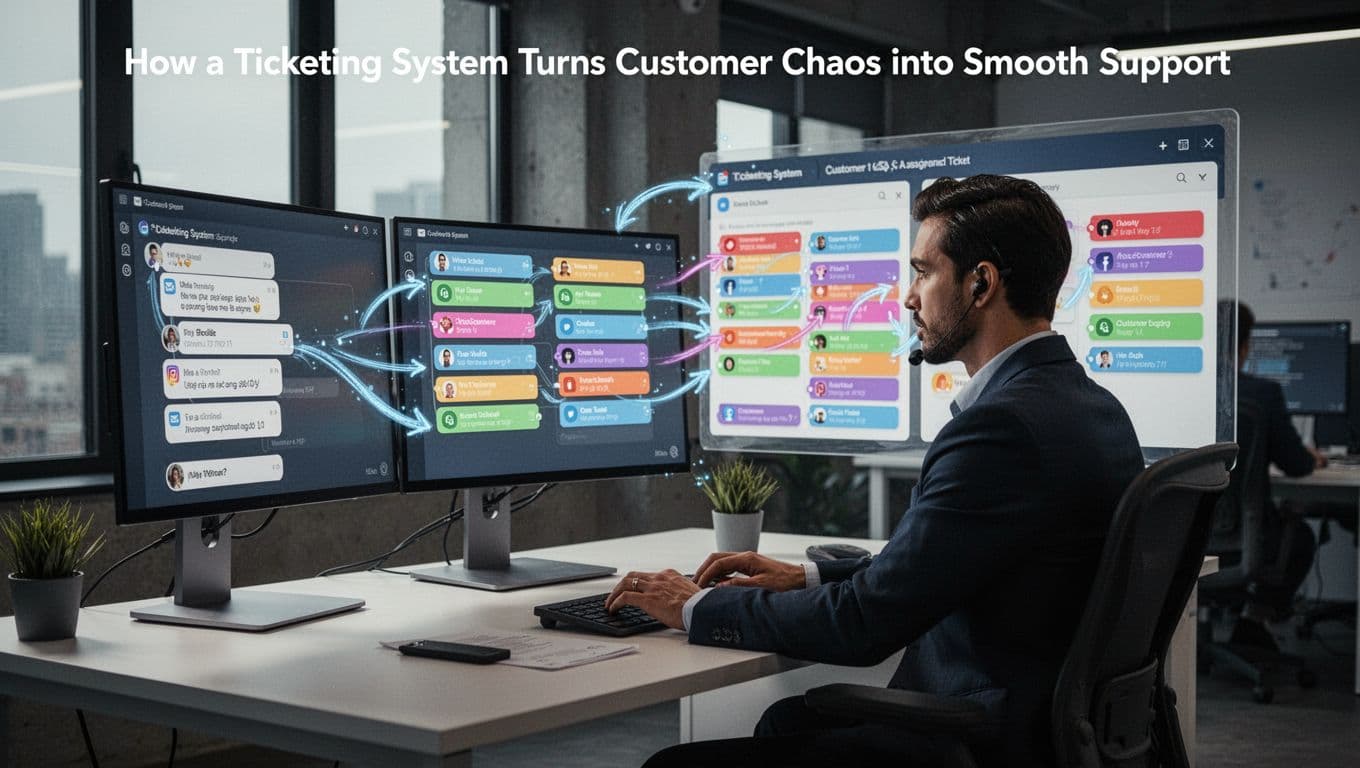
How a Ticketing System Turns Customer Chaos into Smooth Support
Picture your support channels like different entrances to one building. Without a ticketing system, every guest goes to a different desk. That means lost info, repeated questions, and uneven wait times.
With ticketing, the process feels more like a front-desk workflow.
- A customer reaches you through email, chat, phone (logged), web forms, social, or SMS.
- The system creates a ticket automatically, with a unique ID, the message details, and a timestamp.
- The system sorts and routes the ticket using rules (and sometimes AI). It assigns the right team based on topic, urgency, or customer type.
- An agent works the ticket in one place. They add notes, request more info, and collaborate with teammates.
- The ticket closes with confirmation, and the data stays saved for reporting and process improvements.
Most teams also benefit from an omnichannel view. That means the same customer thread stays connected, even if they contact you again from another channel.
If you’ve ever wondered what counts as a ticketing “tool” and how it supports the full path to resolution, this overview from Cflow on support ticketing systems is a good reference point.
Why Automation Makes the Difference from Day One
In the real world, manual sorting breaks under pressure. A new ticket comes in, and someone has to guess who should handle it.
Automation fixes that early. When tickets auto-create and auto-route, your team stops doing “triage work” that doesn’t solve customer issues.
Here’s what improves right away:
- Faster first response because tickets don’t wait for manual tagging.
- Less overload because the system distributes work based on load and skill.
- Fewer handoff mistakes because routing is consistent.
In 2026, AI helps add context. For example, it can categorize requests and suggest a good owner. Some systems even summarize the ticket, so agents start with the key facts.
The bottom line is simple: when routine work gets automated, humans can focus on problem-solving.
Key Features That Make Ticketing Systems Stand Out
Not all ticketing systems feel the same. Some just store messages. Others support real support operations.
At a minimum, look for features that reduce repetition, speed up handling, and make teamwork easier. Otherwise, your team just gets a nicer folder.
Here are the features that usually matter most:
- Auto ticket creation from multiple channels: email, chat, forms, and more should land as tickets automatically.
- Prioritization and routing: rules based on urgency, topic, or customer value, plus AI support where appropriate.
- Tracking with full history: every update stays in the ticket, so agents don’t re-read scattered threads.
- Team collaboration tools: shared notes, internal comments, and shared views help agents coordinate.
- Workflow automation: triggers for assignments, follow-ups, and status changes.
- Custom fields: capture key details like plan type, product area, or order ID.
- Integrations with CRM and other tools: pulling customer history can cut back-and-forth.
For example, a good CRM integration lets an agent see prior purchases or past issues. Then they can respond without asking for basic details again.
Omnichannel Magic: Handling Every Contact Point in One Place
Customers don’t always contact you the same way. They might email today, then DM tomorrow. If those messages split into separate inboxes, your team loses context.
Omnichannel ticketing keeps those contacts linked. Instead of repeating the story, customers get continuity. Agents also get the full timeline.
In many setups, the ticketing system works like a “single desk” for support. It combines channel data into one workflow. The customer still gets the channel they prefer. Your team still sees one record.
If you want a quick list of what vendors claim and how they stack up, Front’s list of top ticketing systems for 2026 can help you compare options for shared team workflows and end-to-end tracking.

Smart Automation and AI Boosts for Efficiency
Automation gets you started. AI helps you stay ahead.
In 2026, many ticketing systems use AI for tasks like:
- Auto-categorizing tickets by topic and intent
- Suggesting replies based on past cases
- Writing short summaries for faster agent handoff
- Notifying the right people when a ticket needs escalation
Some tools go further with voice support. Voice AI can replace older phone menu flows by understanding what callers need. It can then summarize the call and hand the work to an agent.
Still, don’t treat AI like a replacement for your process. The best results come when AI assists routing and summaries, while your team controls standards for quality.
Real Wins: Benefits for Your Team and Happy Customers
A ticketing system should pay off quickly. If it doesn’t reduce friction, it’s just new software.
The benefits usually fall into two buckets: what your team gains and what customers feel.
How Teams Cut Stress and Speed Up Fixes
When tickets are organized, teams stop wasting time.
Instead of hunting for emails, agents open one ticket and see the full history. They also see what changed and who handled the last step.
Here’s what that usually improves:
- Workload balance so no one gets buried with the same issue type.
- Faster resolutions because routing and handoffs work consistently.
- Better teamwork through shared notes and clear status updates.
- Clear reporting that shows where delays happen (not just averages).
When support volume spikes, the system matters even more. Tickets keep work from getting lost. They also keep priorities visible.
If you run a high-volume team, these wins can show up as shorter resolution cycles and better agent utilization.
What Customers Gain from Better Tracking
Customers rarely care about your internal setup. They care about outcomes.
Ticketing helps because it creates a traceable path from issue to resolution. That means customers get updates that match real progress.
Also, customers don’t have to repeat themselves. If the ticket stays in one place, an agent can follow the thread.
Common customer wins include:
- Faster replies because tickets don’t sit in untracked inboxes
- More consistent answers from notes and shared context
- Better self-service when your team links FAQs to ticket categories
- Clear closure when the ticket is resolved and confirmed
When customers can track progress, support feels less random. Instead of guessing, they see movement.
Top Ticketing Tools in 2026 and Trends to Watch
Tool choice depends on your workflow, not your budget alone. Still, most modern ticketing systems share the same direction.
Here are a few well-known options teams often consider:
- Zendesk: strong automation and AI features, plus voice ticketing support in some setups.
- Freshdesk: good fit for teams that want simpler handling and quick setup.
- Intercom: widely used for chat support and AI-assisted conversations.
- Kayako: often chosen for multi-channel service and structured workflows.
- Front: popular for shared inbox work and team collaboration.
- Pylon: focuses on support automation and routing across channels.
If you want more structured comparisons, Kayako’s ticketing system roundup for 2026 can help you see tradeoffs across tools. You can also browse Pylon’s support ticket system comparison for another evaluation angle.
Key Trends Shaping Ticketing Systems This Year
Based on current 2026 trends, expect these patterns:
- AI takes over more routine work, like summaries, intent detection, and smart routing.
- Voice AI supports more than just phone menus. It can capture what happened and pass it to a ticket.
- Connected agent help gives reps instant context and suggested next steps. Some platforms report efficiency gains around 30% in certain tests.
- Real omnichannel work keeps transcripts and histories in one ticket record.
- Better analytics that show ticket volume, time to first response, resolution speed, and satisfaction trends.
Also watch for how teams handle collisions. If two agents work the same ticket, reporting and quality suffer. Good systems help prevent duplicate work.
Best Practices to Launch Your Ticketing System Right
A ticketing system won’t fix messy ops by itself. You still need rules, training, and measurement.
Start with clear priorities. Then keep your data clean. Finally, review results so you improve each month.
Here’s a practical launch plan.
- Set ticket priority rules (for example, VIP issues get faster handling).
- Define ticket categories and tags so routing stays consistent.
- Train agents on ticket notes (notes should help the next person).
- Use a quality standard for updates (customers should get clear progress, not vague replies).
- Oversee AI suggestions at first (check accuracy and update your rules).
- Integrate your CRM early so agents get customer history without extra steps.
- Track the right metrics like response time, time to resolution, and close rate.
- Offer a customer portal or status updates when possible.
- Start small, then scale by adding channels and automation later.
If you want examples of process setup and how teams reduce repeated work, HappyFox’s guide on trouble ticket systems offers useful framing for building a support workflow.
The big theme is simple: measure outcomes, then adjust rules until things run smoothly.
Conclusion
A ticketing system in customer support turns scattered customer messages into trackable tickets. It creates a clear path from contact to resolution, with the right owner and history in one place.
You saw how ticketing works across channels, why automation matters early, and which features help teams collaborate. You also saw why customers benefit from consistent updates and fewer repeats.
Next, choose a tool that fits your workflow, then launch with strong priority rules and clear categories. If you do it right, your support stops feeling like email chaos. Your customers get help that feels organized, every time.